Everything here exists to get you watching with people.
It tracks your shows, and it does that well. But all of it is really pointed at one thing: getting you talking about a show with people who love it as much as you do.
Your shows, organized the way you actually watch.
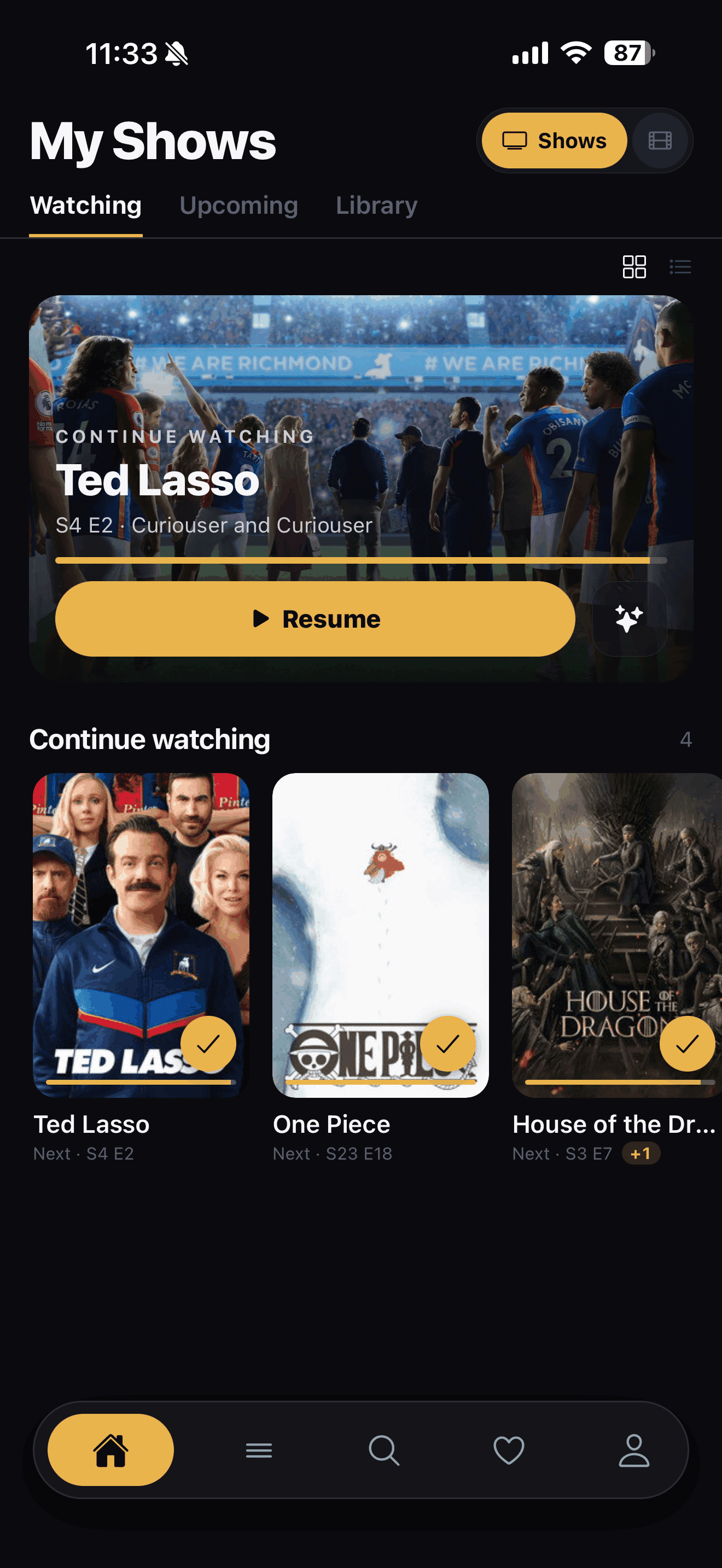
Continue Watching keeps your in-progress shows front and center, and a single swipe marks the next episode watched. Switch between a clean list and a grid of posters depending on how you like to browse. No hunting for where you left off, it's just there when you open the app.
Back to top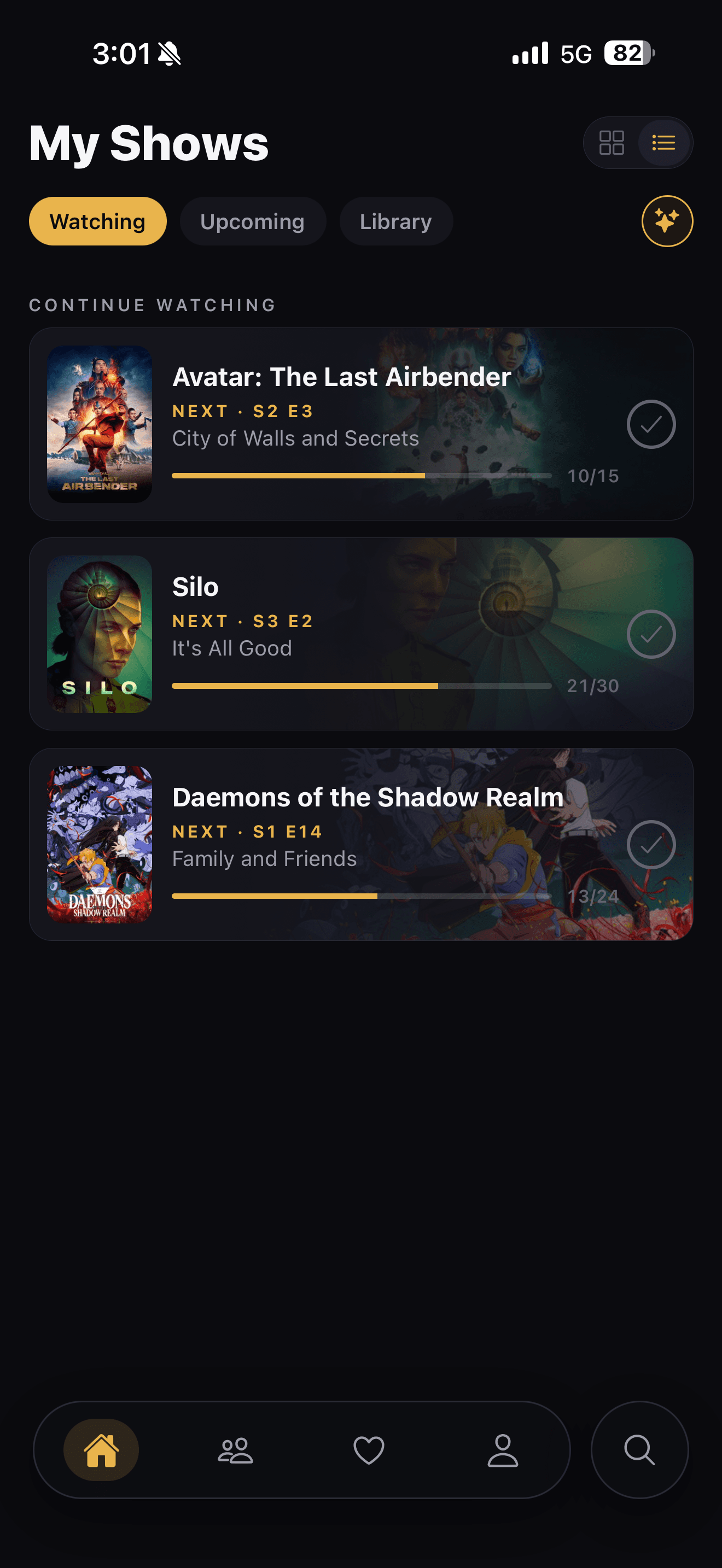
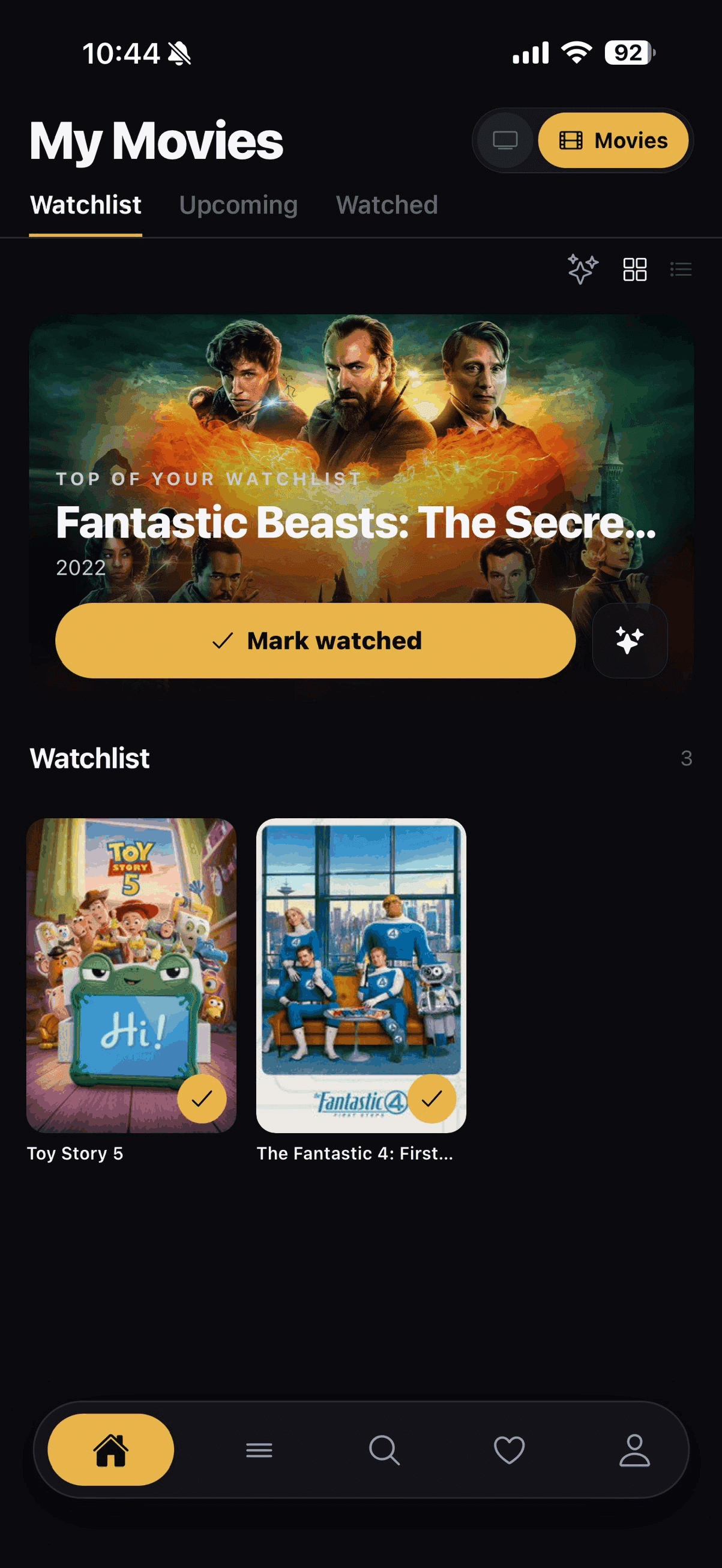
Movies get the same treatment as your shows.
A toggle at the top of your watchlist switches between shows and movies, same list, same one swipe to mark something watched. Switch to the grid view when you'd rather scan posters than scroll a list, and whatever's next stays pinned to the top with a mark watched button already right there.
Back to top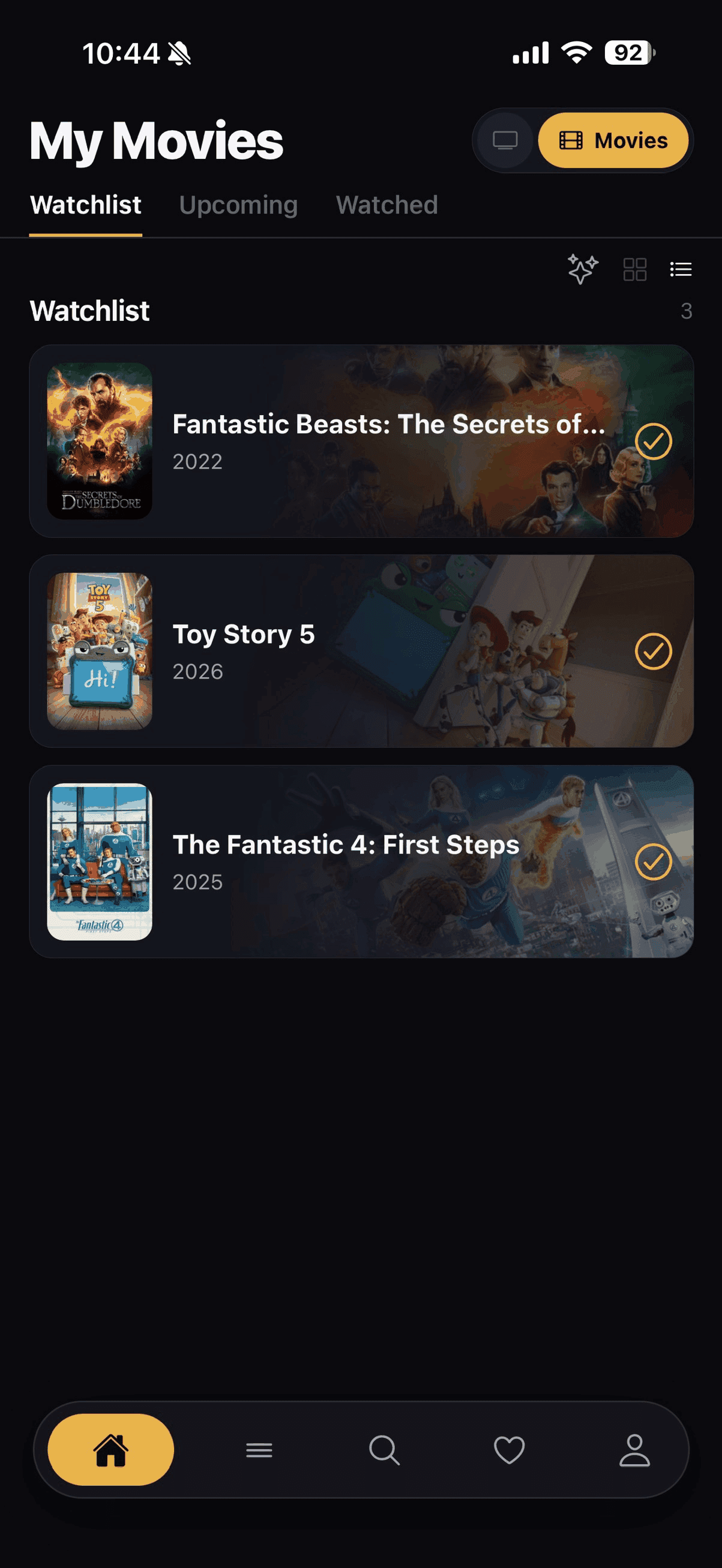
Know what's airing, and when.
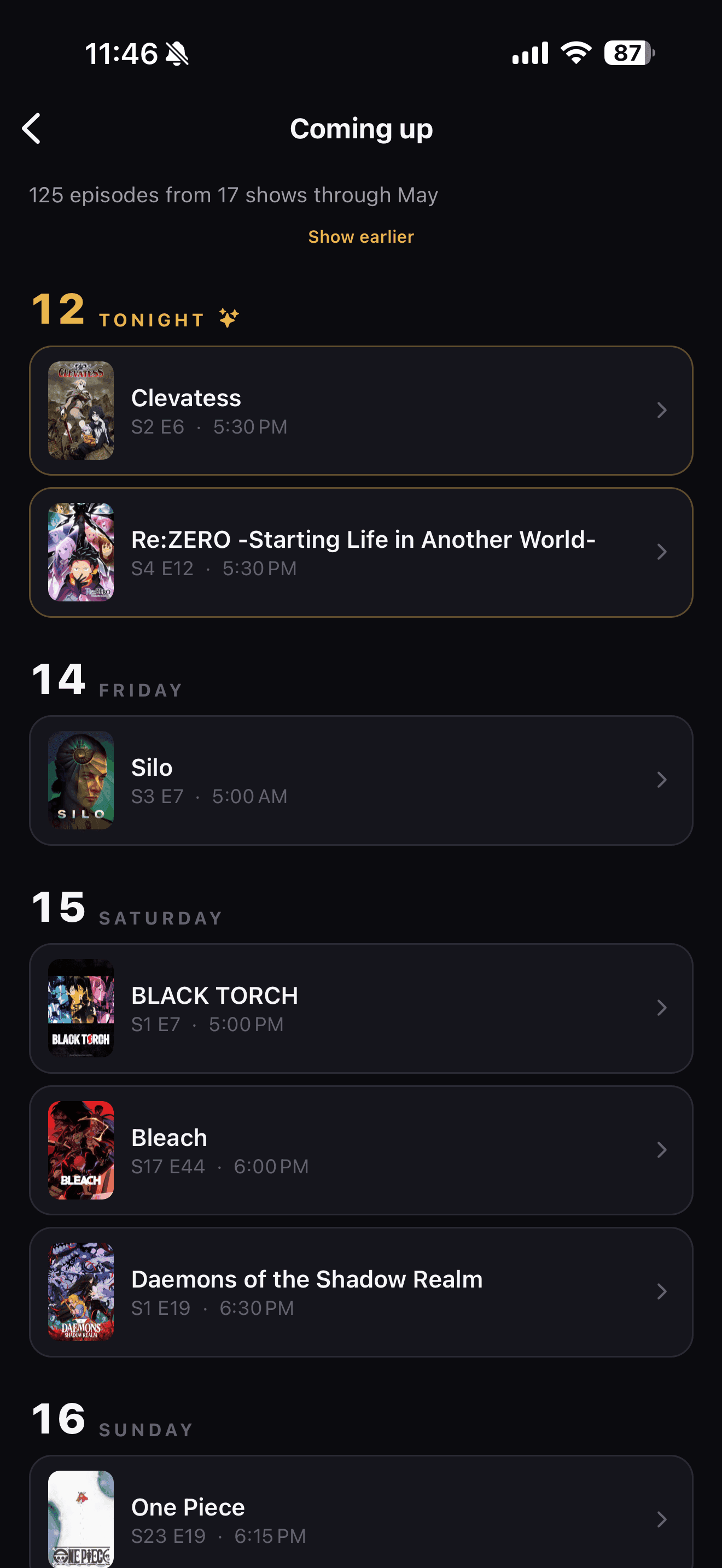
The Upcoming schedule lists every episode heading your way with exact air times, pulled in and shown in your local time, split into today and this week. Movies land on the same schedule now too, so a release date you've been waiting on shows up right next to your shows. Tap through to Coming up for a longer day-by-day look further out, and turn on reminders to get a nudge when something you follow is about to drop.
Back to top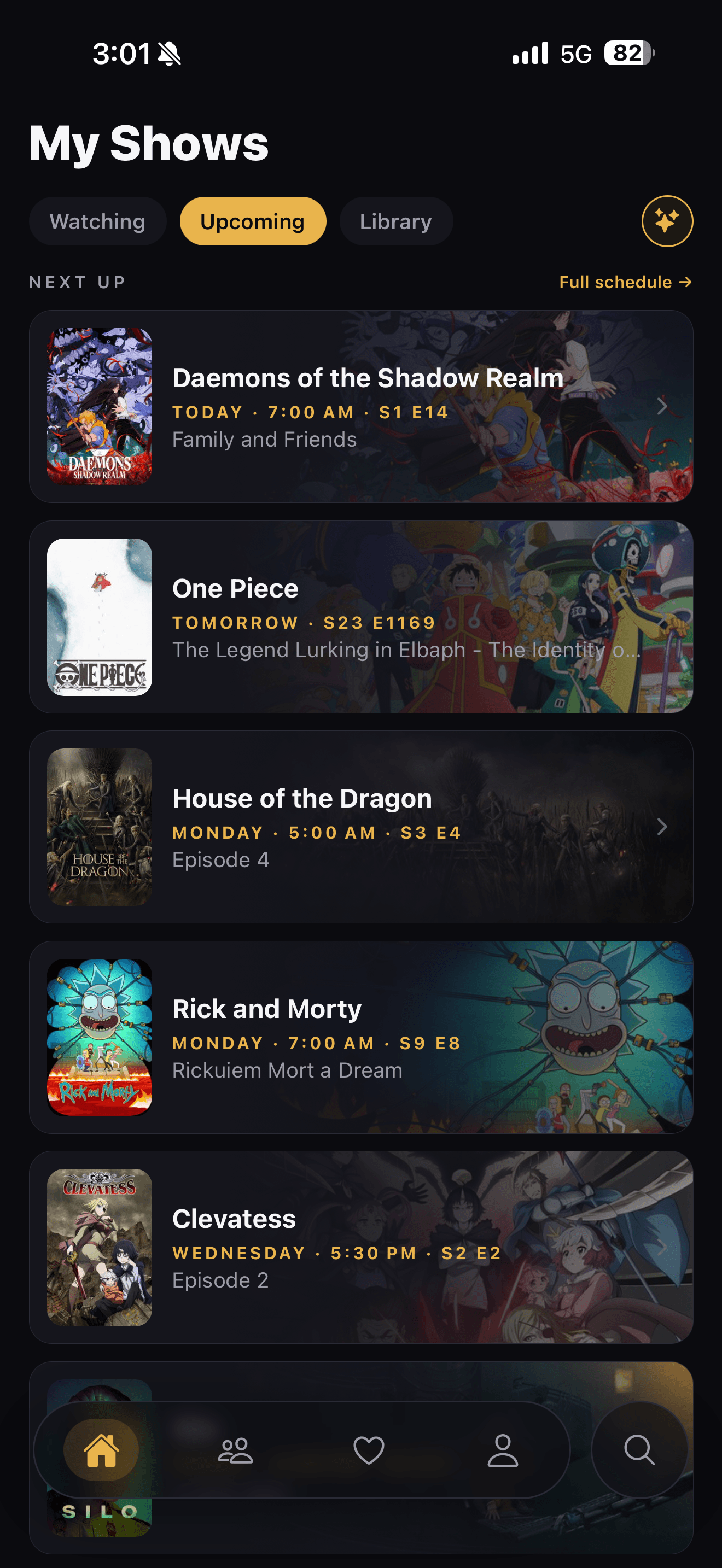
Every show you've tracked, one tap away.
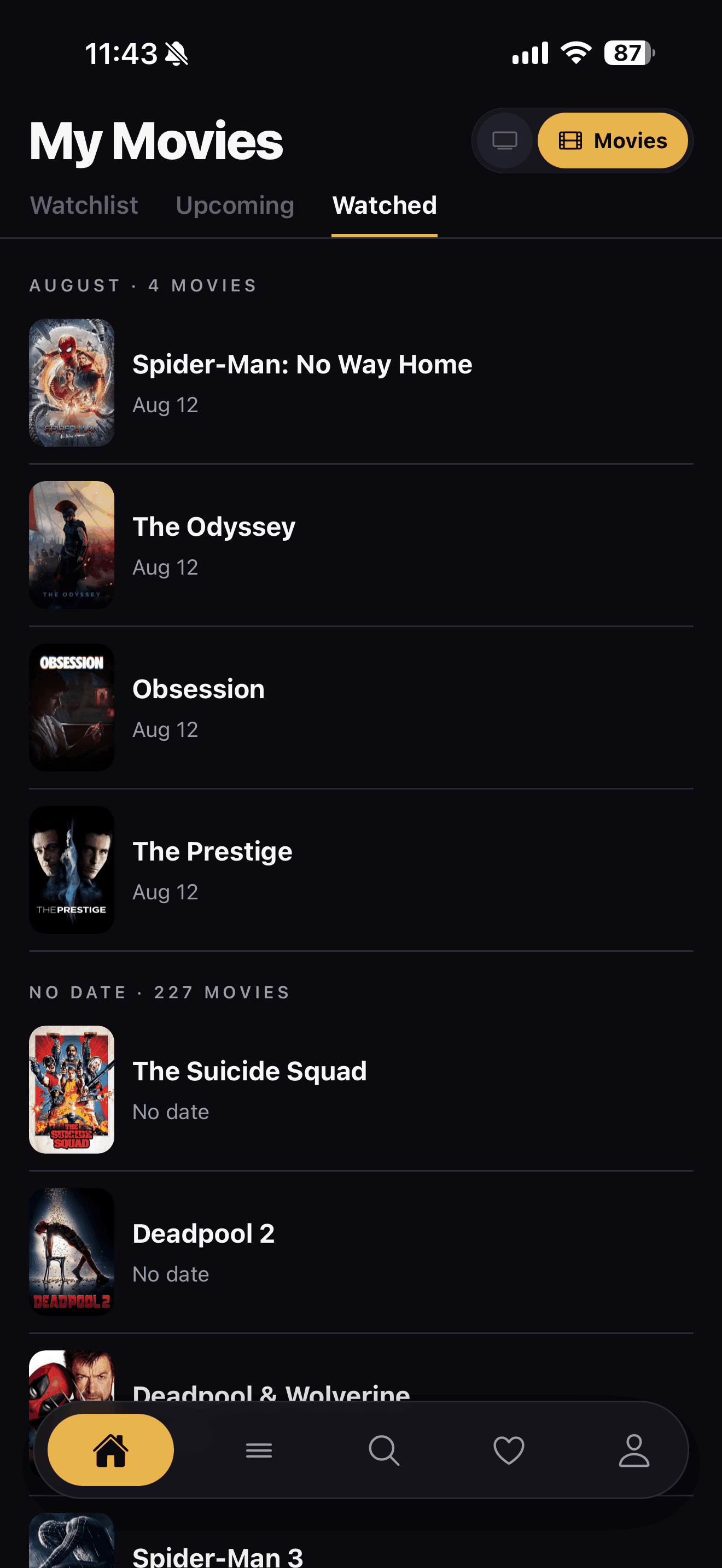
Your library splits into Up to date, Completed, and Stopped watching, with the most recent posters shown under each and a View all when you want to keep scrolling. Movies get their own version, grouped by the date you watched them instead, so a scroll back through August doubles as a little timeline. Nothing gets buried three menus deep.
Back to top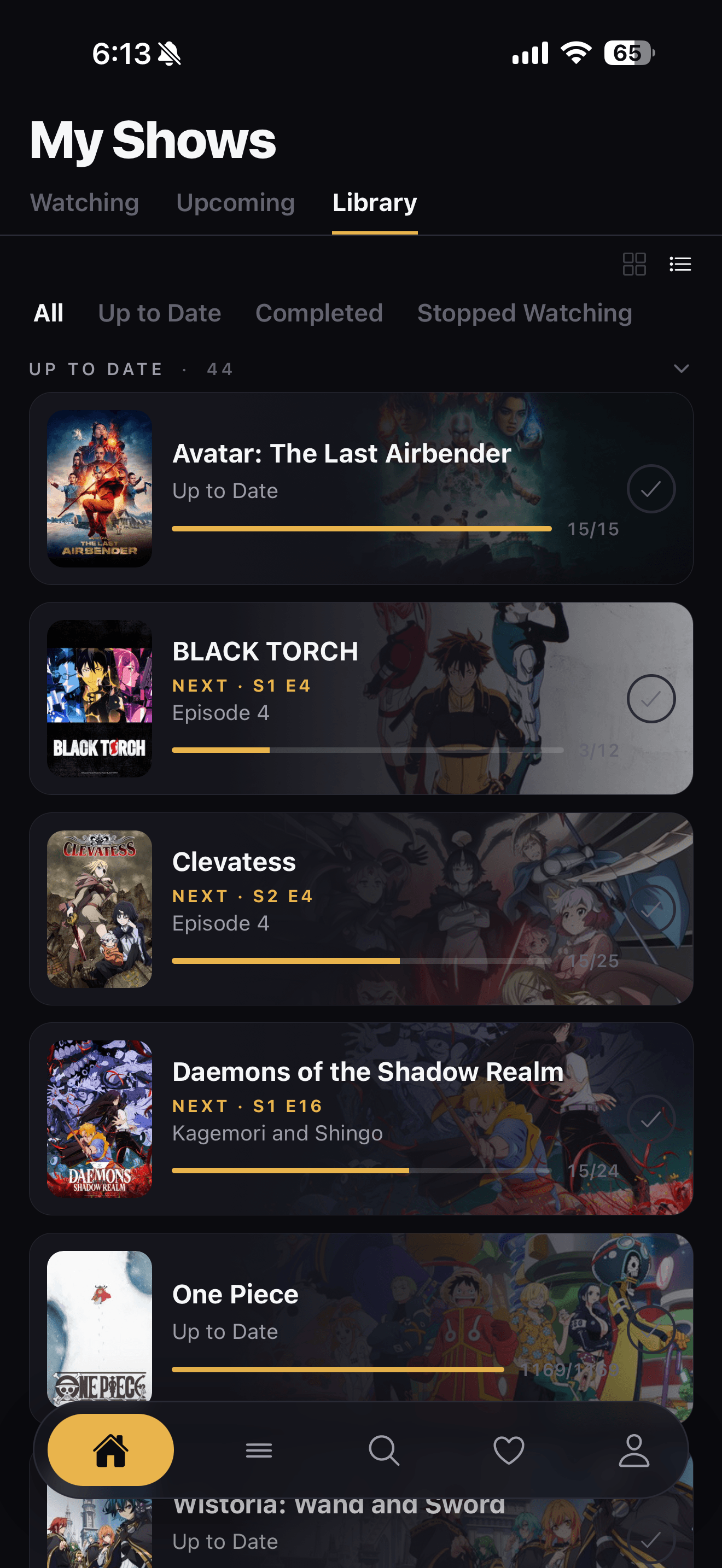
Find your next obsession.
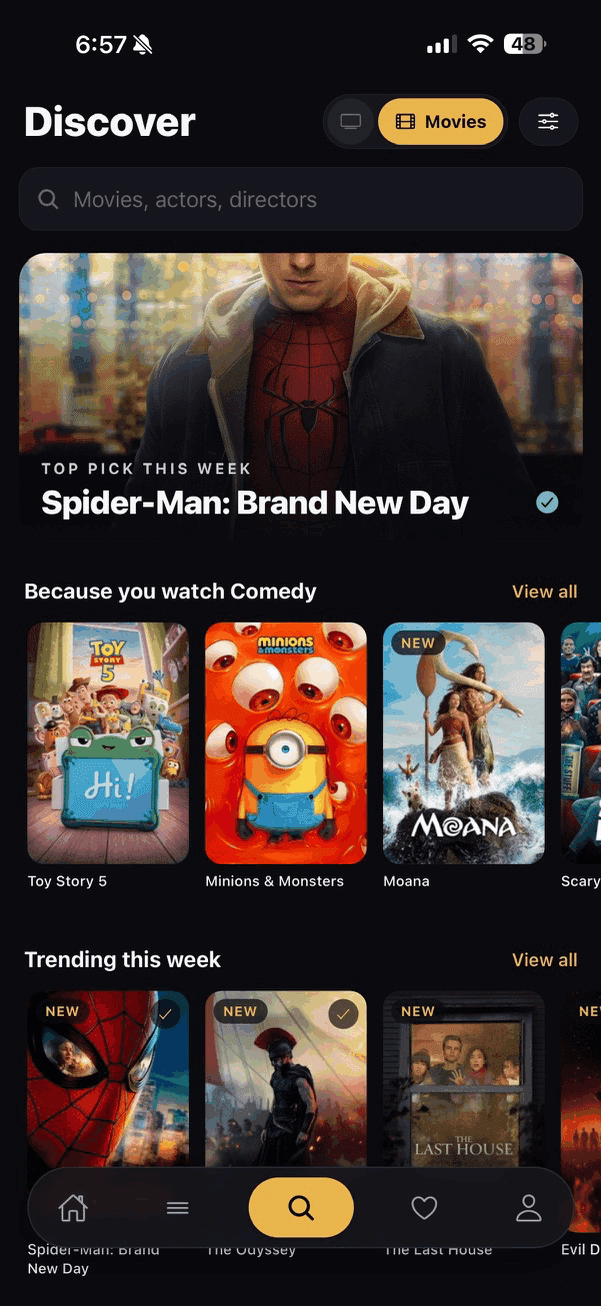
A top pick for the week sits right at the top, then rows built around what you actually watch, because you watch comedy, because you watch action and adventure, plus what's trending right now. Flip the toggle and the whole screen swaps from shows to movies. Built for finding your next thing to get way too into, not for doomscrolling a feed of stuff you'll never watch.
Back to top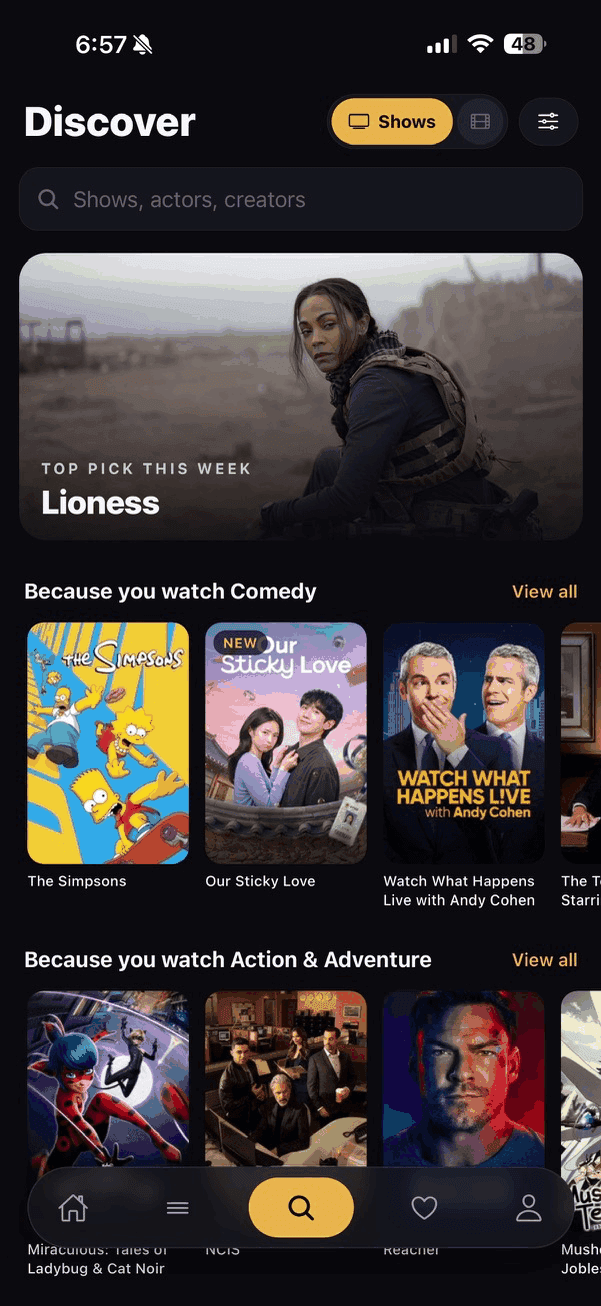
Swipe through your history like it's Tinder.
Swipe right to mark something watched, left to skip it, down for watch later, up for stopped watching. It works for shows and movies both, and it's a genuinely fast way to fill in years of watching in one sitting. Fair warning, it's addicting.
Back to top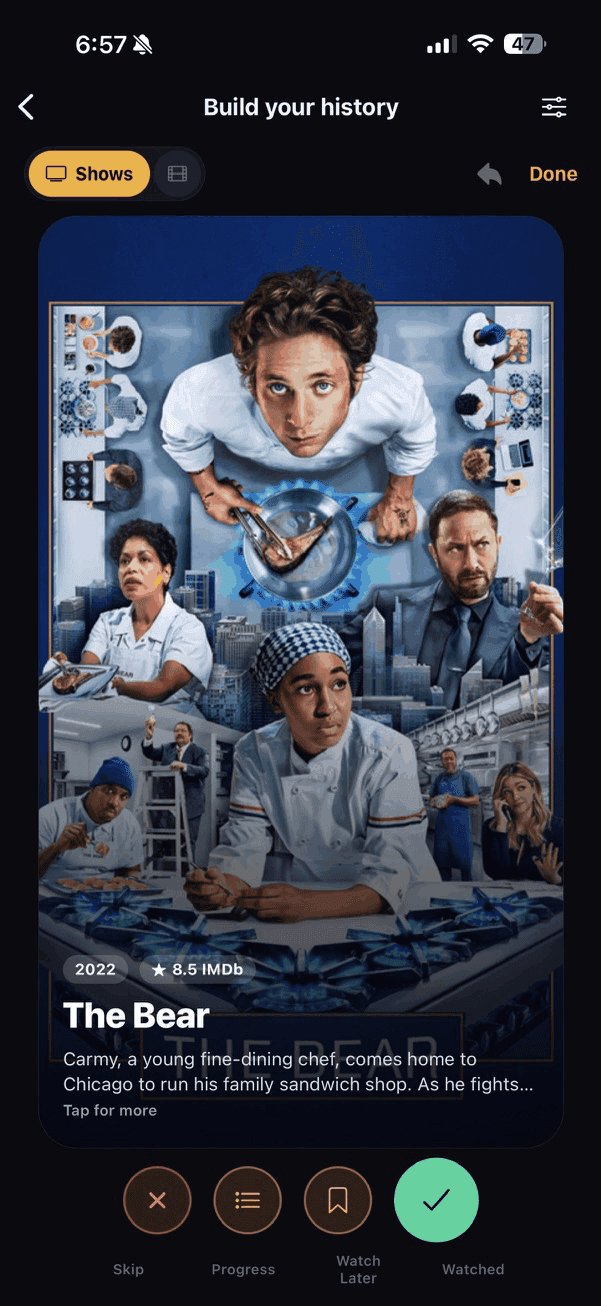
Details, content warnings, and where to watch.
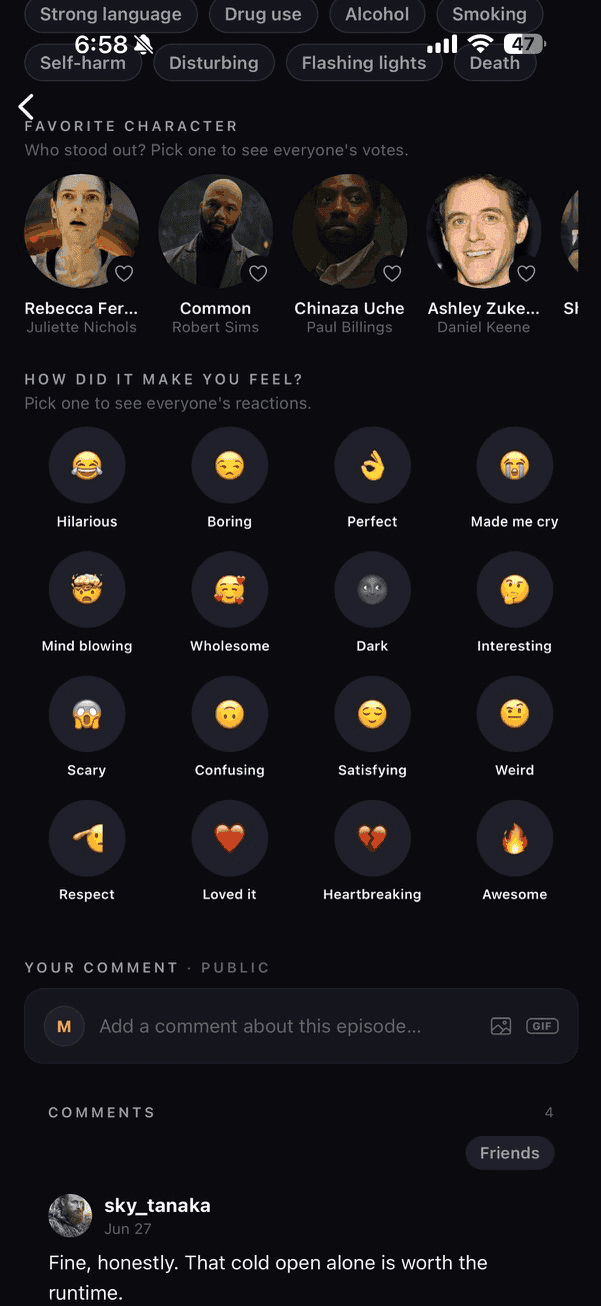
Each episode page has the synopsis, runtime, and where it's streaming in your region, pulled in through JustWatch. Mark it watched, rate it out of five, and flag anything sensitive so other watchers know what to expect. Scroll down and vote for your favorite character or how the episode made you feel, then see how everyone else voted too.
Back to top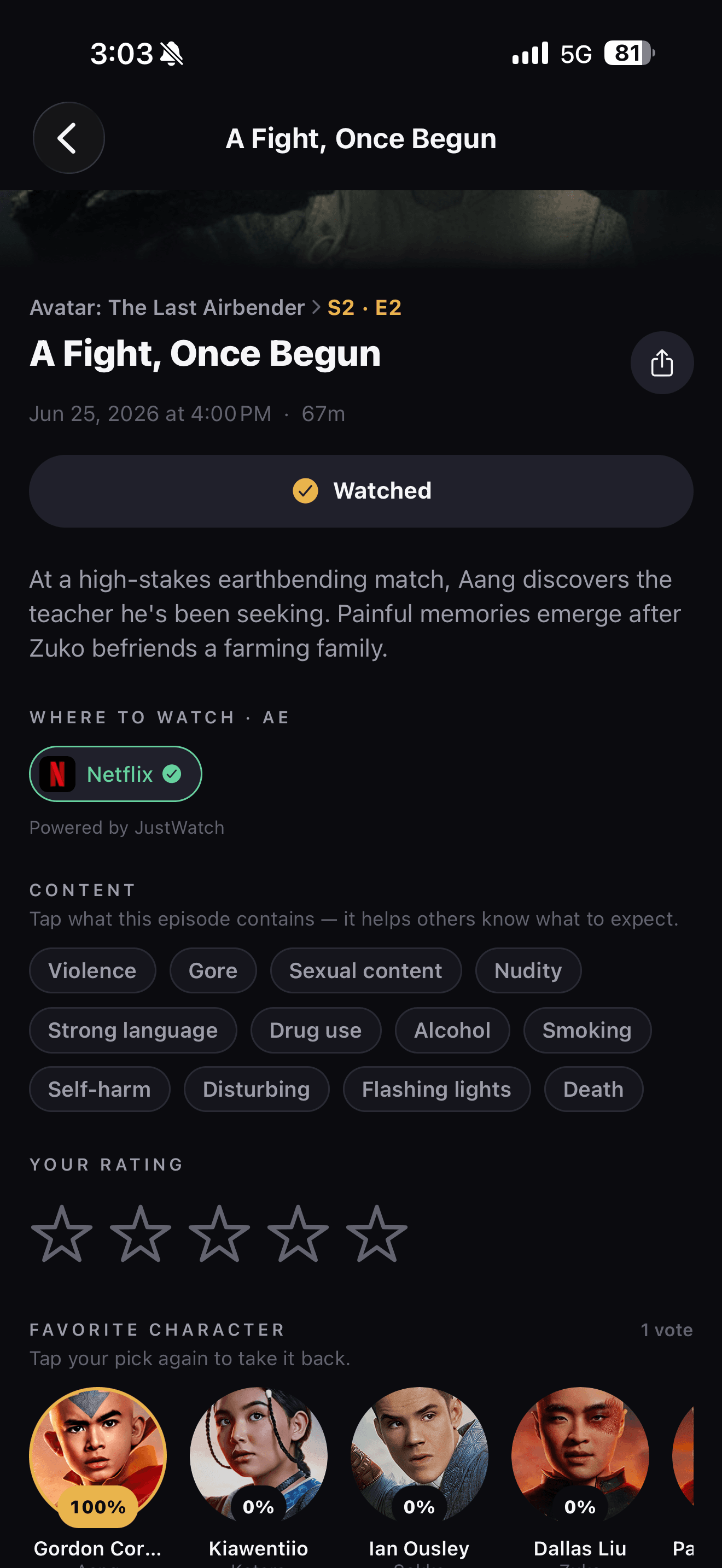
Ratings, cast, trailers, and where to watch.
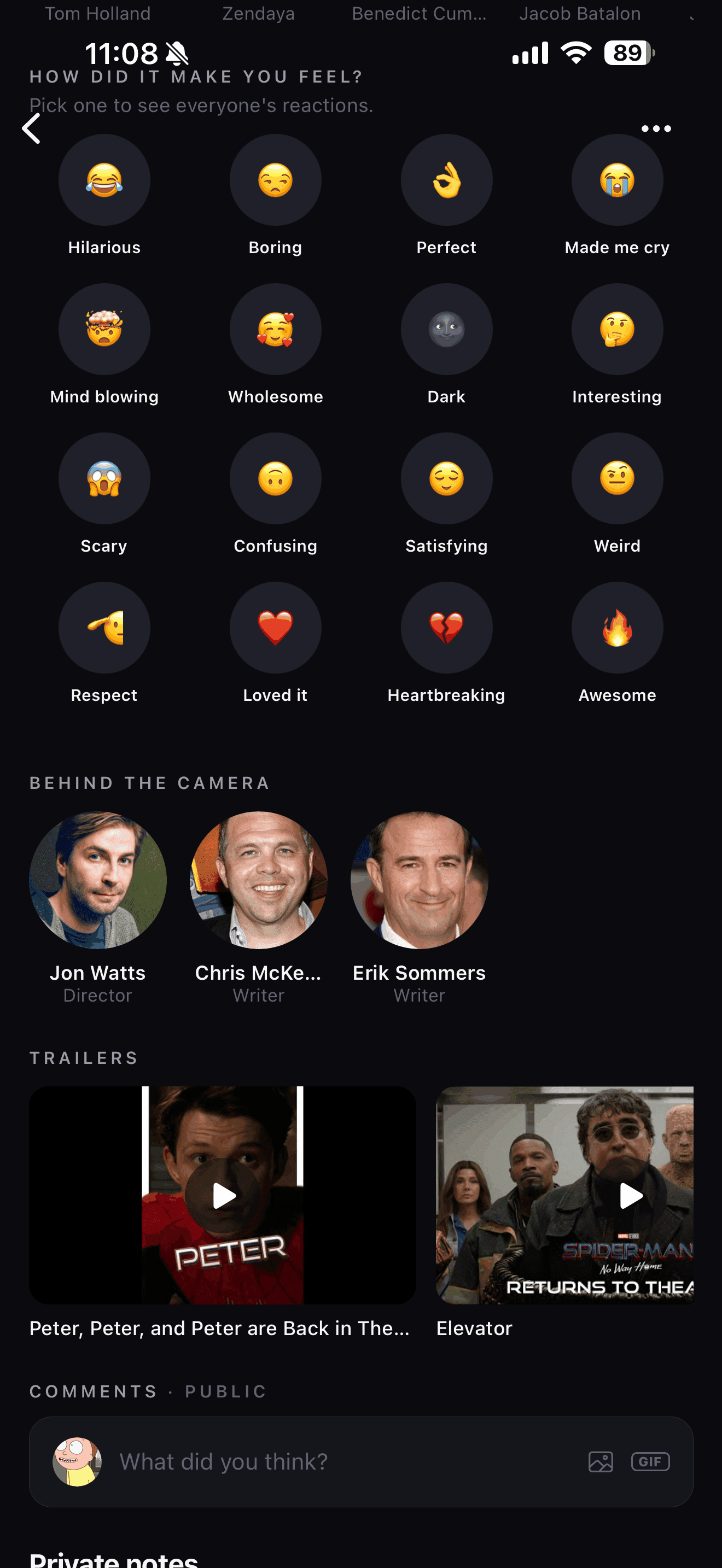
Each movie page pulls in IMDB, Rotten Tomatoes, and Metacritic scores next to your own five star rating, then tracks watches and rewatches so you know exactly when you last saw it. Vote for your favorite character or how it made you feel, see who directed and wrote it, and pull up the trailers without leaving the app.
Back to top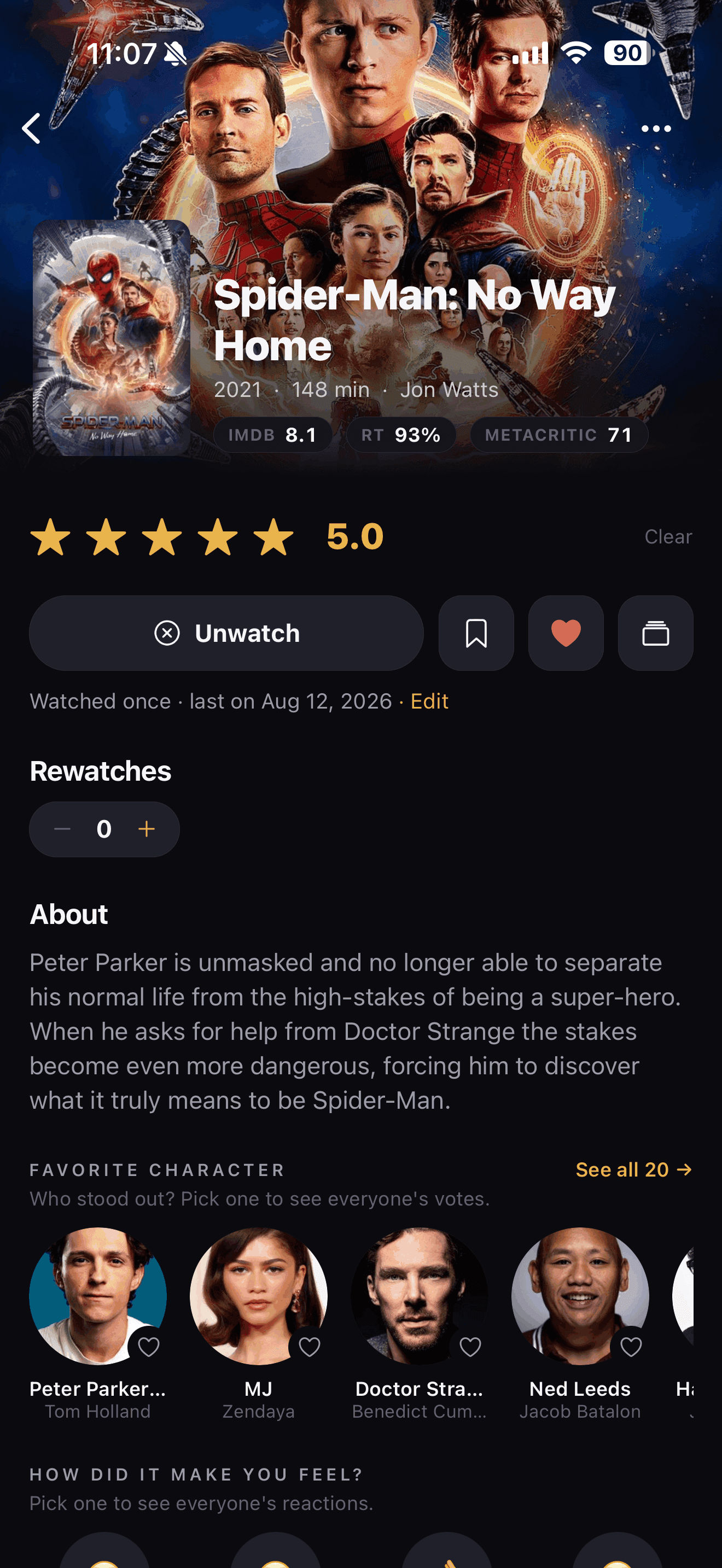
The comments are the good part.
Every episode gets its own comment section, right under what you just watched, and movies get the same thing on their page. Post a reaction, drop a GIF, or argue about the ending with whoever else is up at 2am. Sort by what's hot or what's new, keep it to friends or throw it open to everyone.
Back to top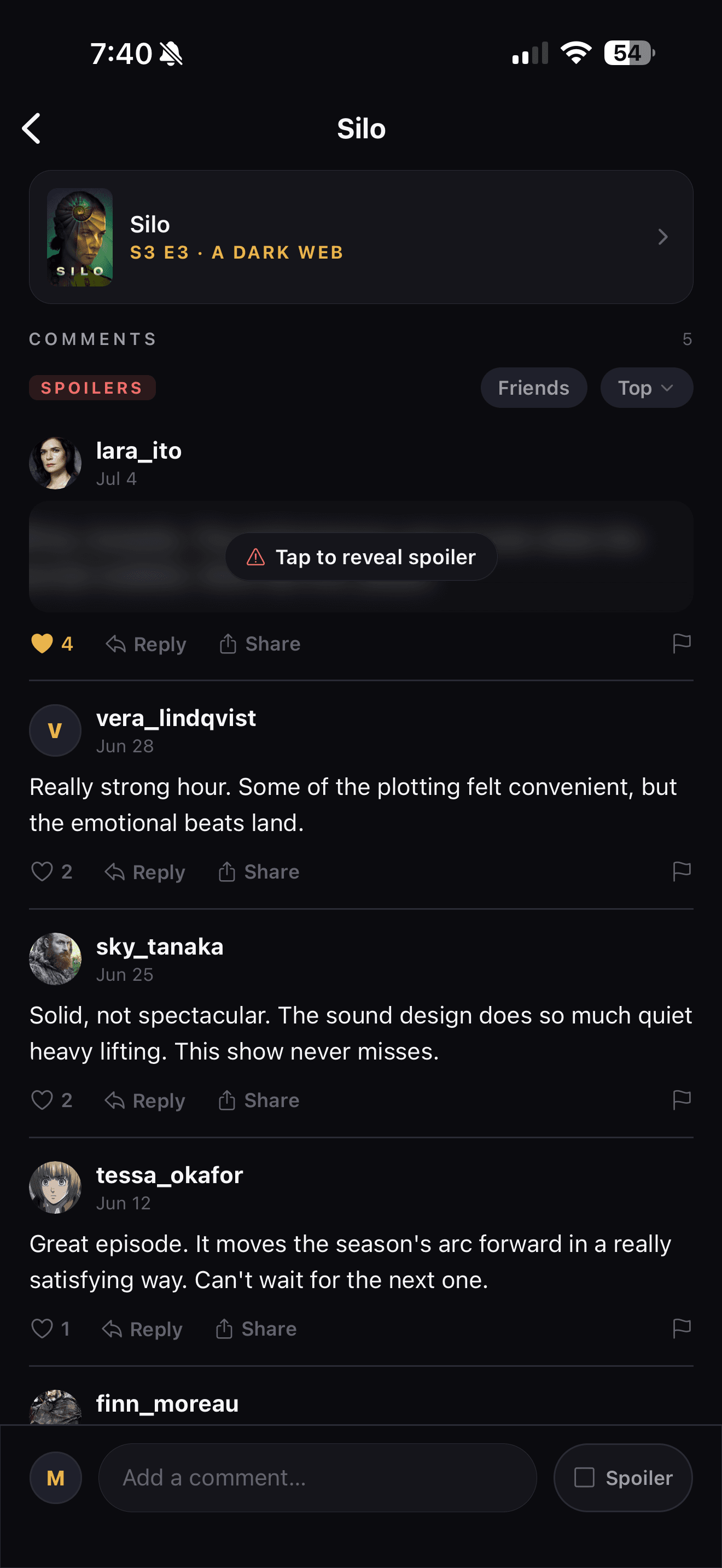
See what your friends are watching.
Follow your friends and their activity rolls in as it happens, from what they just started to the five-star rating that tells you to drop everything, shows and movies both. When someone whose taste you trust loves something, that's usually a better tip than any algorithm.
Back to top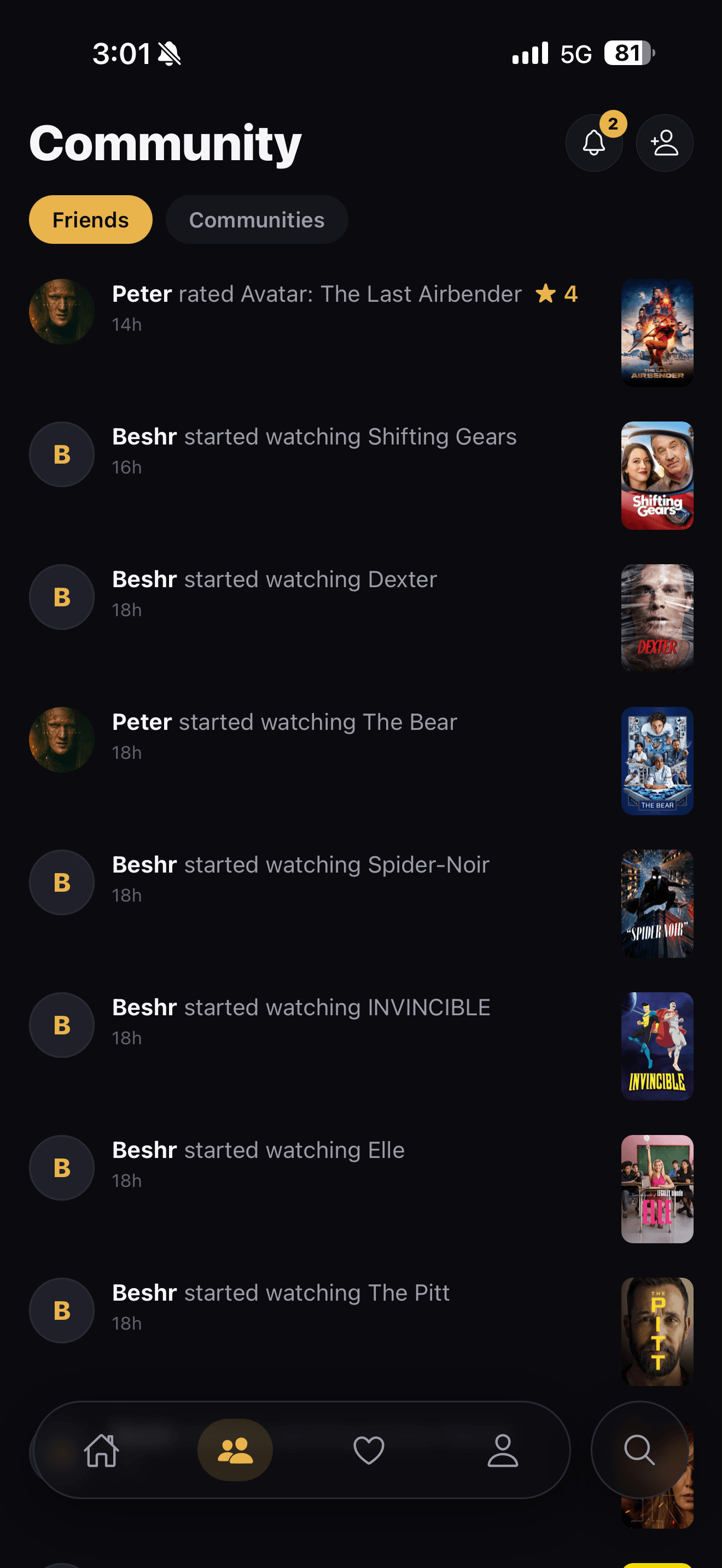
See who's actually watched more.
Open a friend's profile and your numbers line up right next to theirs, TV time, episodes, and shows, side by side, with a movie count sitting right there too. Now you can settle who's really seen more instead of just claiming it in the group chat.
Back to top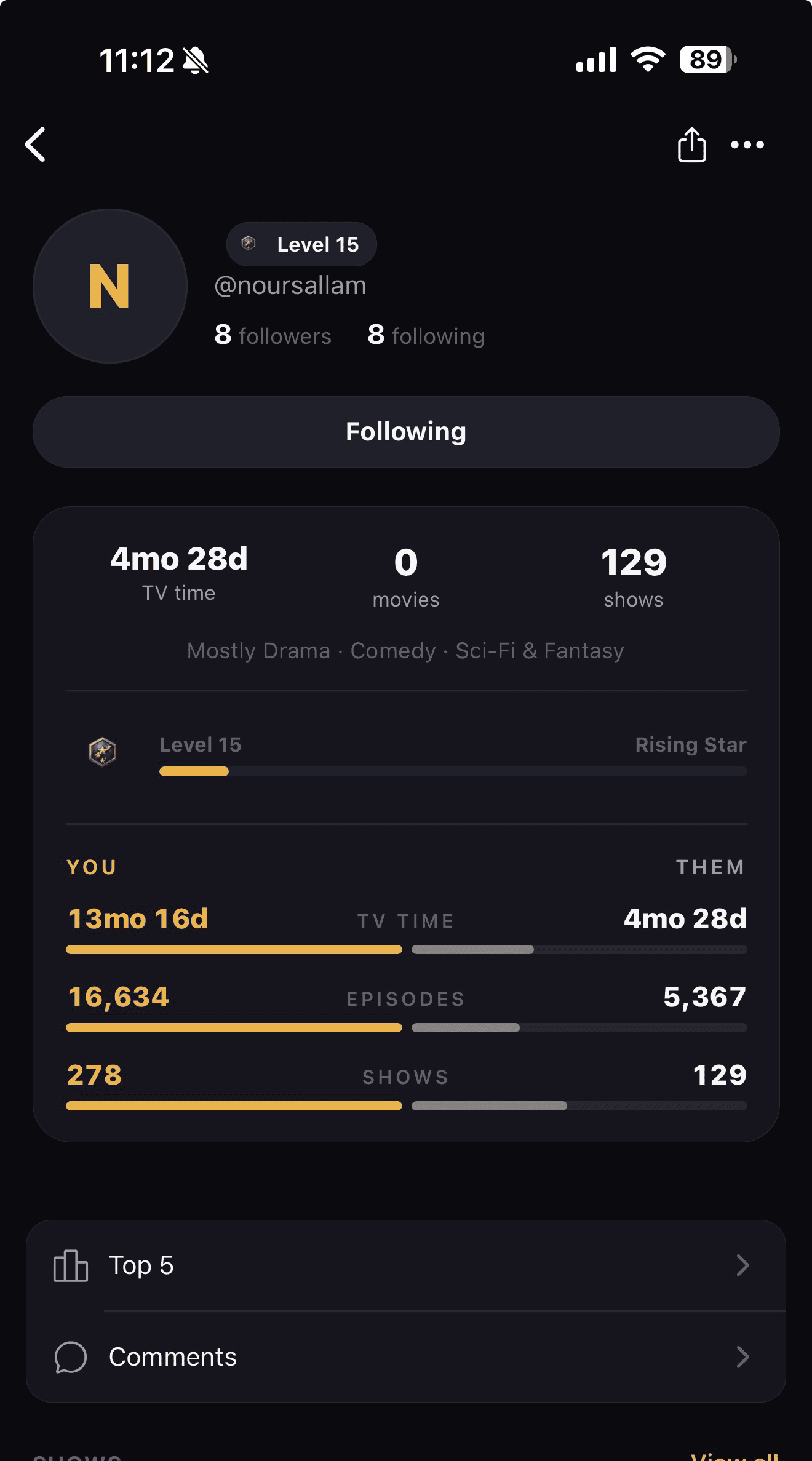
Favorites, lists, and genre top fives.
Heart the shows and movies you love, build your own lists mixing both, and rank your top five in any genre. It's your taste, laid out the way you want it.
Back to top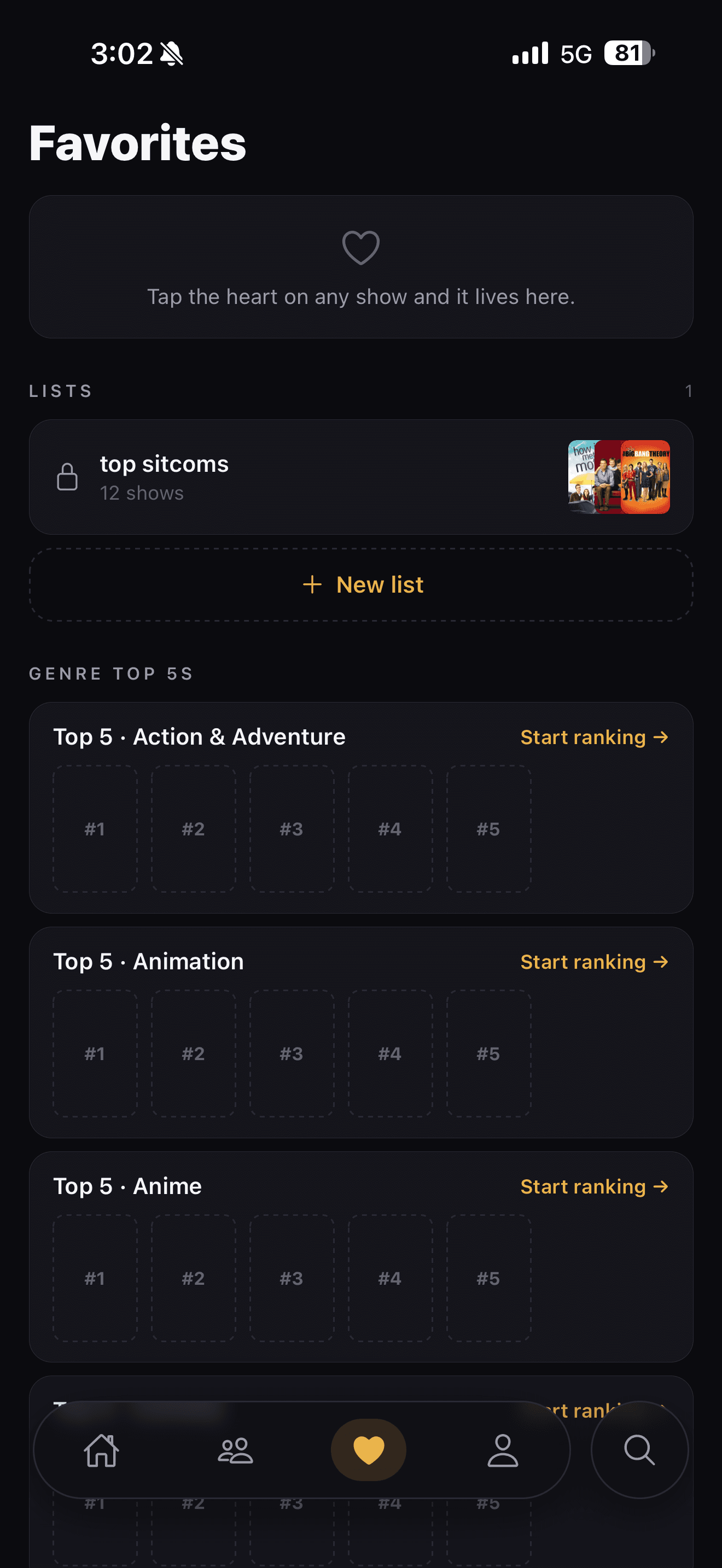
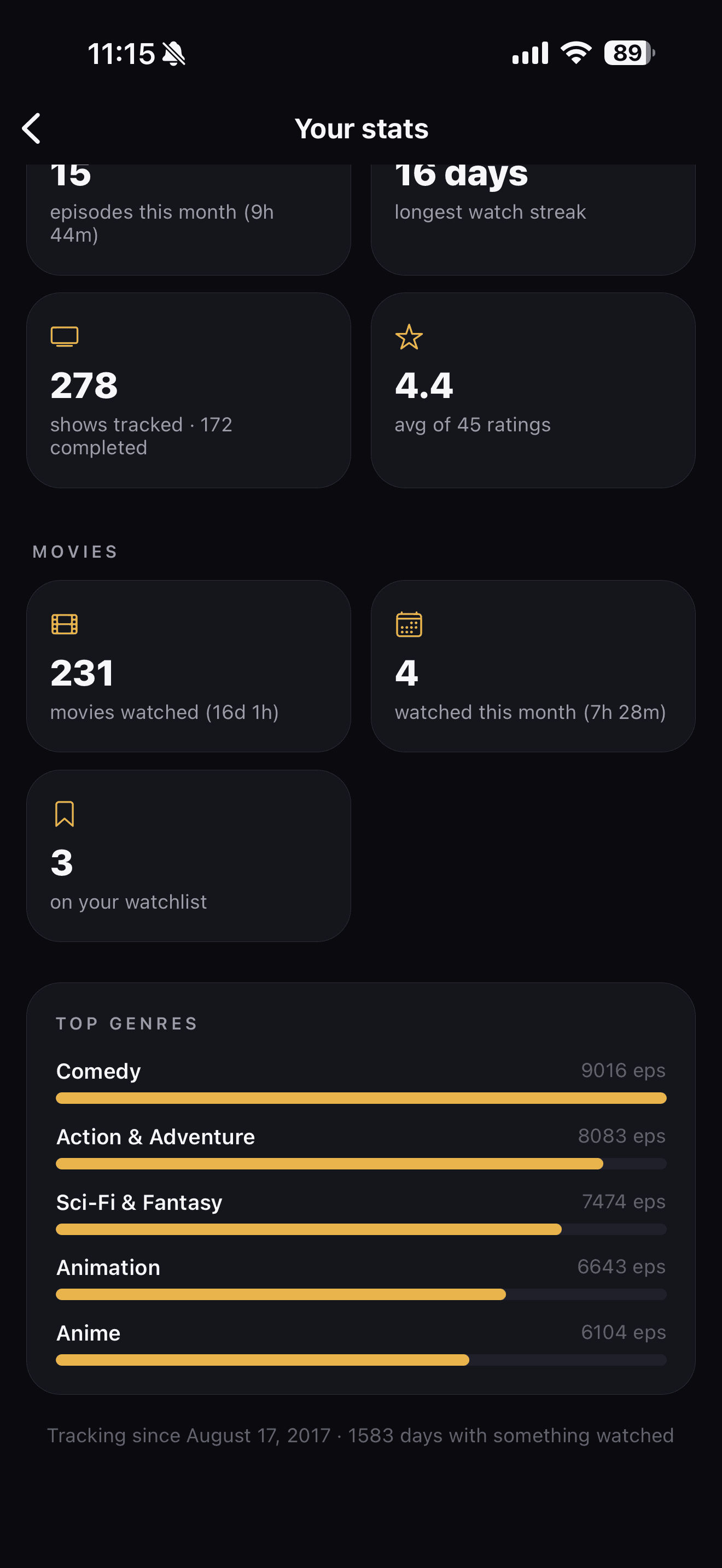
The stats that tell your whole watching story.
Total time watched, longest streak, your busiest night, and top genres, split out across shows and movies. Movies get their own numbers too, how many you've watched, how many this month, what's still on your watchlist, plus a Your Movie Life card to go with Your TV Life.
Back to top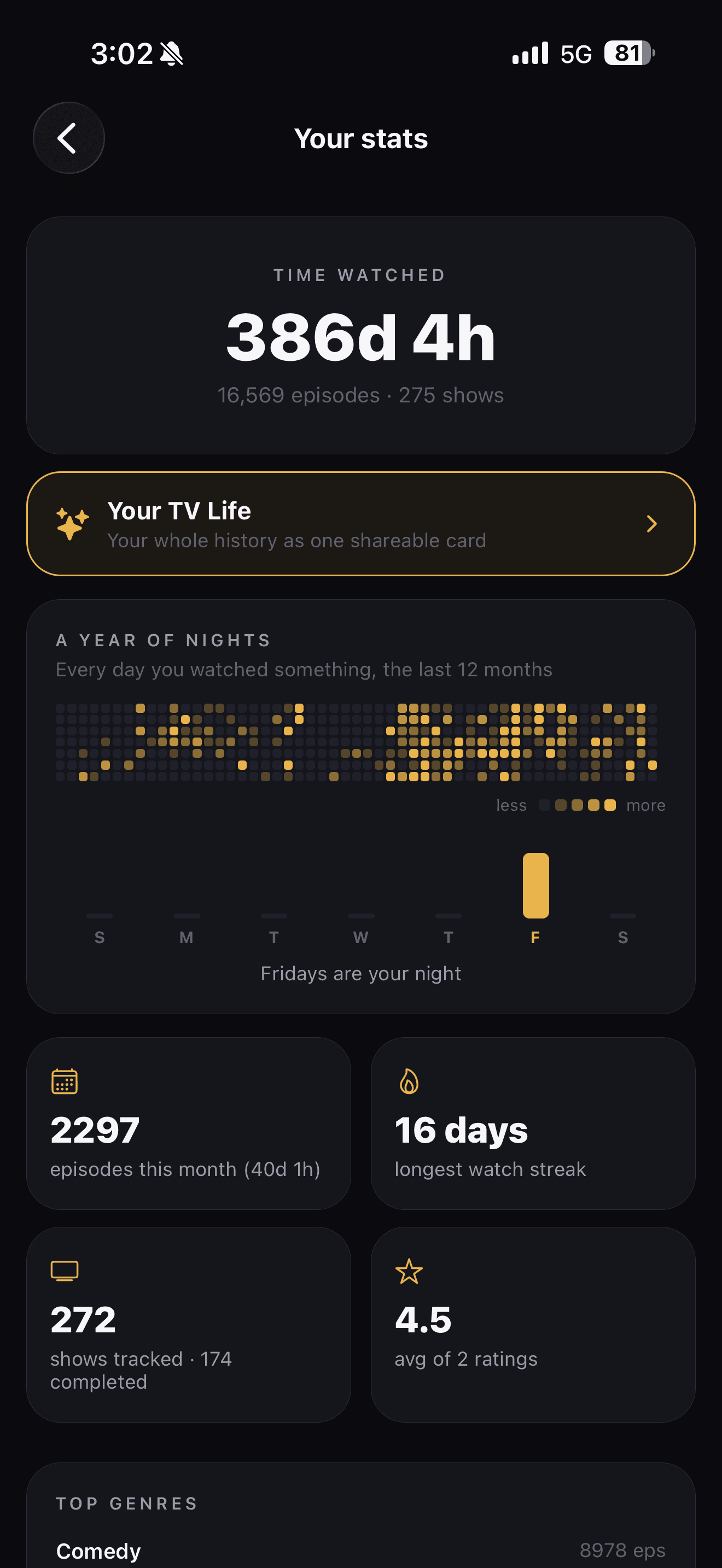
Show off a comment, an episode, or your top five.
See something worth passing on? Share it. A show, a movie, a comment, an episode, one of your lists, or your top five in a genre all turn into a clean card you can post to your story or drop in a group chat. Pick the look you want, and the link rides along so whoever taps it lands right on the real thing in the app.
Back to top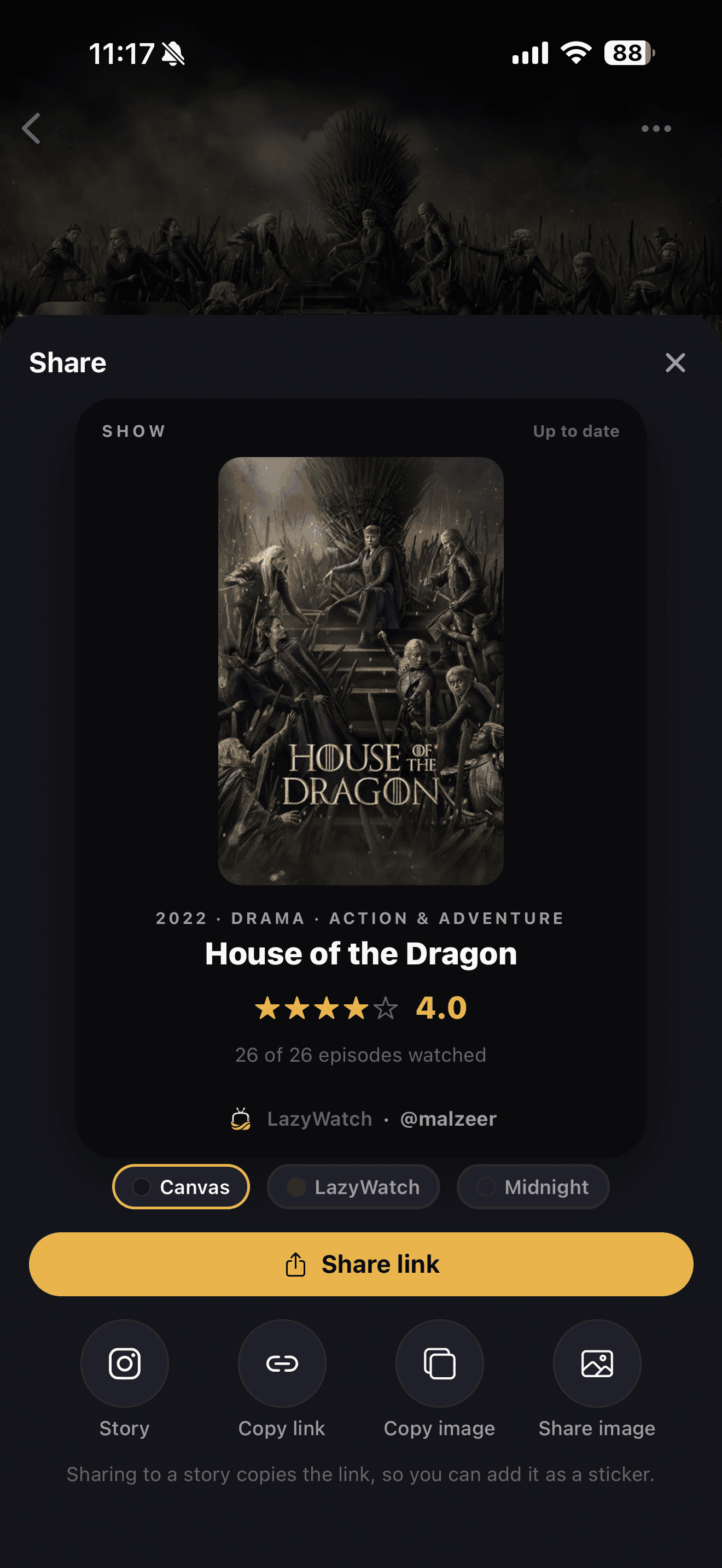
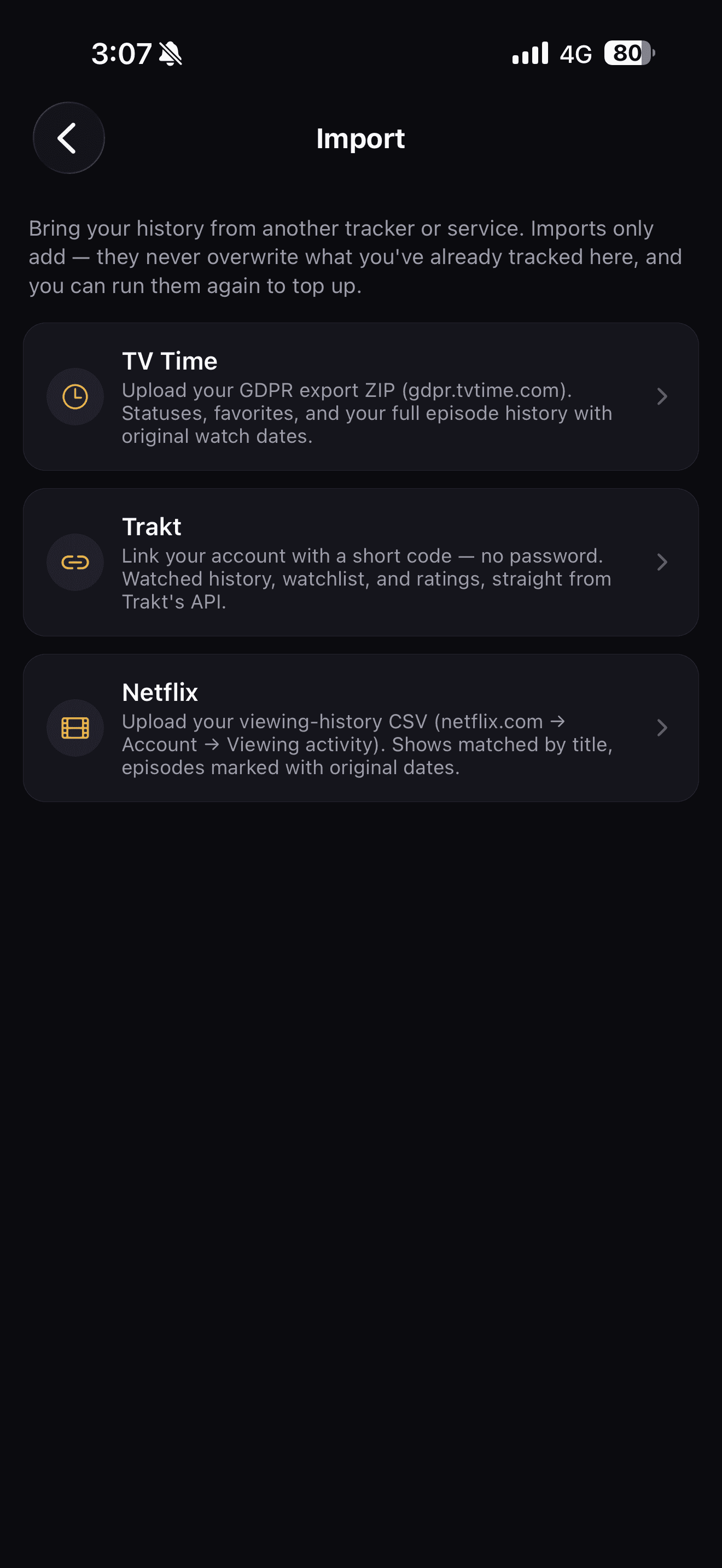
Import from TV Time, Trakt, AniList, and Netflix.
Upload your TV Time export, link Trakt with a short code, pull your anime from AniList with just a username, or drop in your Netflix viewing history. Shows and movies both come across, along with your watch later and stopped watching lists, landing in the right place on their own. Imports only add to what you've already tracked, never overwrite it, so you can run them again any time to top up.
Back to top